Every WordPress agency knows the nightmare: a beautifully crafted page with custom images, embedded videos, and optimized layouts gets approved in staging. Then comes the manual process—copy text, re-upload images, rebuild styles. Inevitably, something breaks.
This workflow has become the industry standard despite its inefficiency. Content teams waste hours copying content between environments. Worse, assets disappear, links break, and production goes live incomplete.
The Root Problem
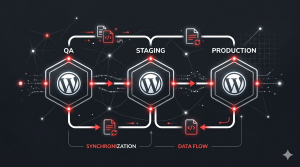
WordPress environments (development, staging, production) operate in silos. Content created in QA looks perfect until you realize the image paths won’t resolve in production. CSS classes render differently. Embed codes fail. The solution? Manually recreate everything—a process that’s error-prone and doesn’t scale.
For agencies managing dozens of client sites, this becomes a bottleneck. Developers spend time copying content instead of building features. Clients wait longer for launches.
Why Assets Matter More Than You Think
Most developers focus on code deployment. Content is afterthought. But that’s backwards. Assets—images, PDFs, videos—represent the actual value. A broken image in production damages credibility more than a small code bug.
Traditional solutions like database migration tools export everything indiscriminately, creating massive files and potential conflicts. You need surgical precision: content with its dependencies, nothing more.
The Better Way
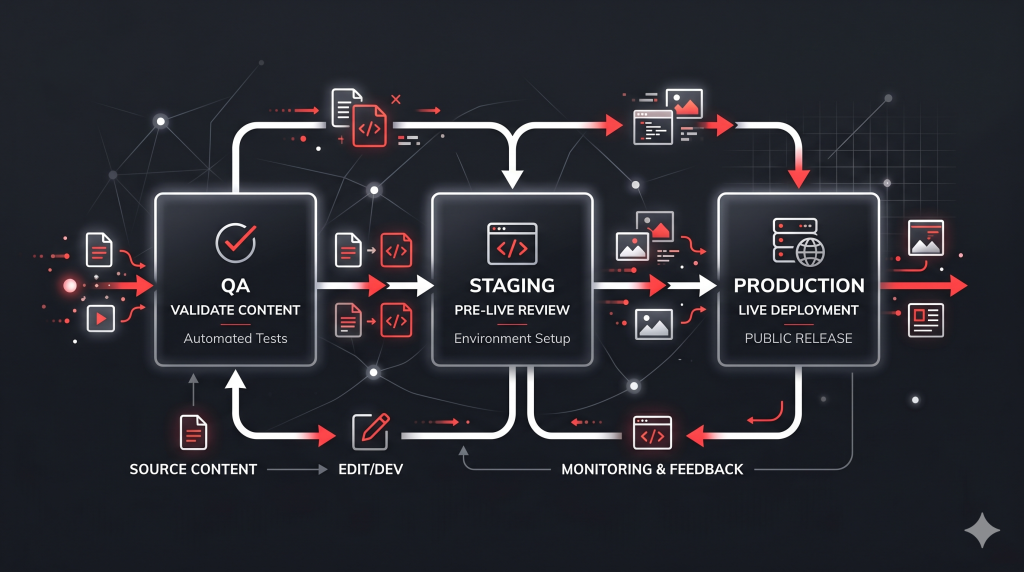
Modern content workflows should treat assets as first-class citizens. When content is approved in staging, the entire package—text, images, metadata, dependencies—should transfer cleanly to production. No manual steps. No missing files.
This means exporting content as self-contained units with all required assets included. A zip file containing a page, its images, and associated metadata. One click deploys across environments.
Looking Forward
The next evolution extends beyond file-based transfers. Imagine connecting your WordPress environments via API, allowing direct content synchronization. Content editors approve in staging; it automatically propagates to production. No exports needed. No manual uploads.
This is the future of content operations in WordPress—frictionless, reliable, and scalable.